From terminal to browser. Discover, configure, and monitor your entire fleet - one command, one click.
28 commands. True color output. Instant fleet visibility.
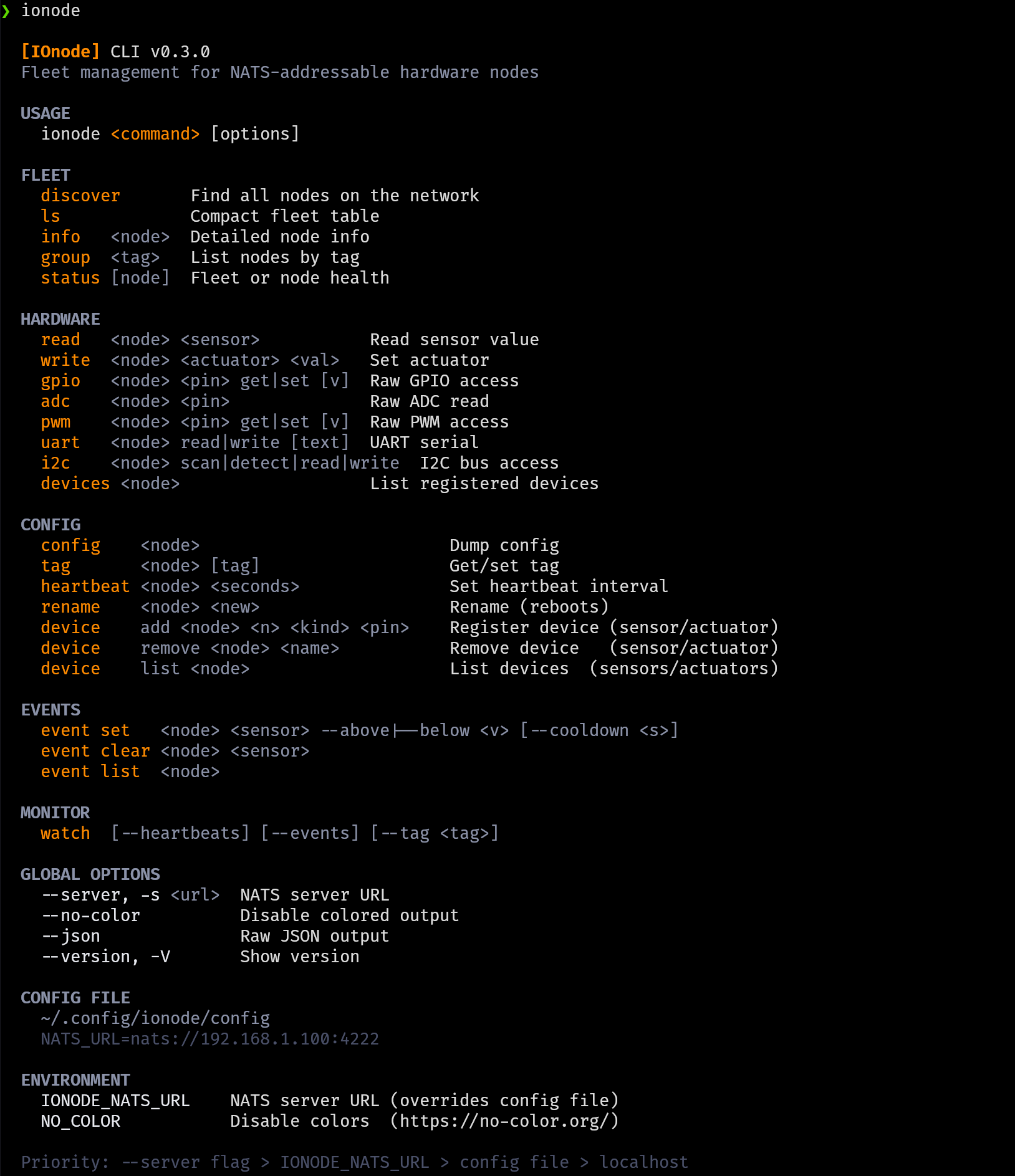
$ ionode discover

━━ Fleet Discovery

  ionode-01  ESP32-S3
    IP 192.168.178.43    heap 192 KB      v0.2.0
    chip_temp clock_hour clock_minute clock_hhmm rgb_led

  ionode-02  ESP32-S3
    IP 192.168.178.44    heap 192 KB      v0.2.0
    chip_temp room_temp clock_hour clock_minute clock_hhmm rgb_led

  2 node(s) found  ·  nats://localhost:4222
$ ionode status ionode-01

━━ Status  ·  ionode-01

  Chip temp:       39.2°C
  Free heap:       192 KB
  Uptime:          36m 29s
  WiFi signal:     ▂▄▆█ -87dBm
  Last reset:      power_on
  NATS reconnects: 2
$ ionode info ionode-01

━━ Node Detail  ·  ionode-01

  Firmware:        IOnode v0.2.0
  Chip:            ESP32-S3
  IP:              192.168.178.43
  Free heap:       193 KB
  WiFi signal:     ▂▄▆█ -74dBm

  HAL: gpio adc pwm dac uart system_temp

  Devices:
    chip_temp    internal_temp  39.2C
    rgb_led      rgb_led        0
    room_temp    ntc_10k        39.2C
$ ionode read ionode-01 chip_temp
  chip_temp  38.2 C

$ ionode adc ionode-01 2
  ADC 2  660  ███░░░░░░░░░░░░░░░░░  16%

$ ionode gpio ionode-01 0 get
  GPIO 0  1  (HIGH)
# Configure 10 nodes in seconds
for i in $(seq 1 10); do
  node="ionode-$(printf '%02d' $i)"
  ionode tag $node greenhouse
  ionode device add $node temp ntc_10k 2 --unit C
  ionode device add $node fan relay 8 --inverted
  ionode event set $node temp --above 28
done
# 10 nodes. Tagged. Provisioned. Event-driven.
--no-color · --json · --server · NO_COLOR env - works everywhere.
A single local HTML file. Connects to NATS via WebSocket.
No backend. No build step.
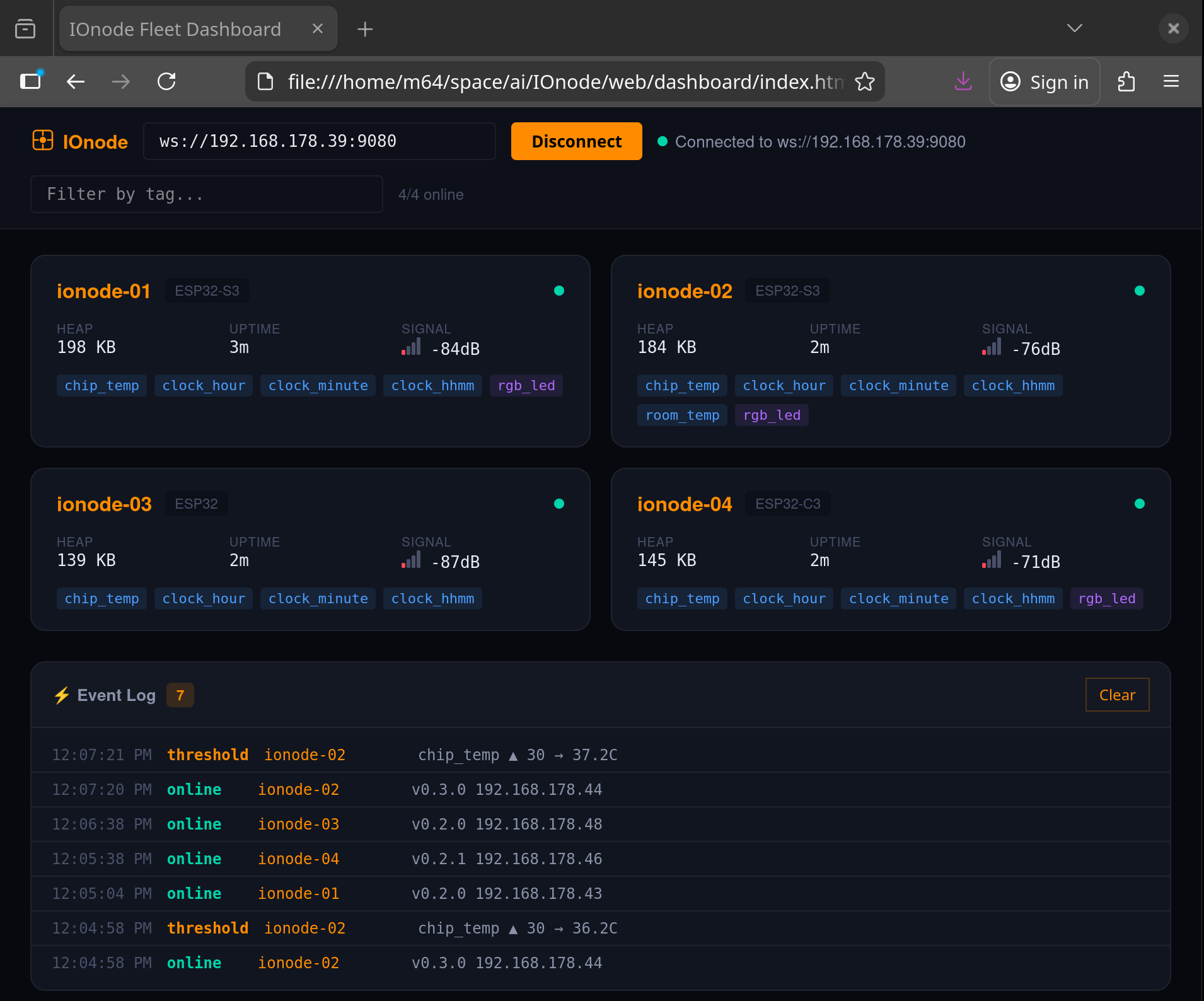
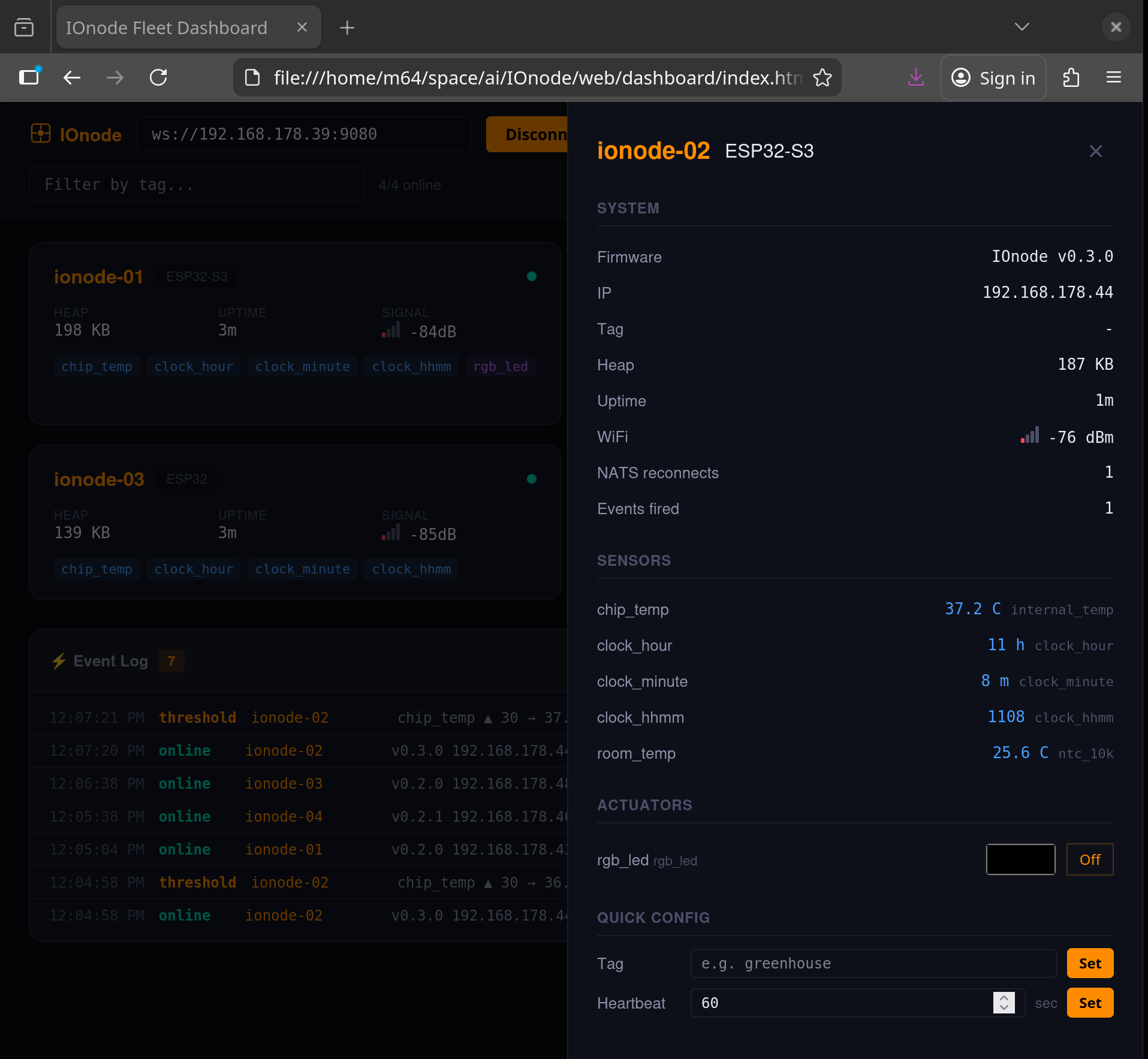
Heartbeat subscriptions keep the dashboard current. Cards flash on each heartbeat. Online/offline detection.
Toggle relays. Drag PWM sliders. Pick RGB colors. Read sensors. All from the browser.
Open the HTML file. Enter your NATS WebSocket URL. Done. No npm, no build, no Docker.
Tag nodes for fleet grouping. Query all nodes in a group with a single NATS request. Tags update live - no reboot required.
ionode tag ionode-01 greenhouse → ionode ls --tag greenhouse
Nodes publish periodic health reports: heap, RSSI, uptime, reconnects, event count. Subscribe once, see everything. Dead node detection for free.
ionode watch --heartbeats
Sensors fire NATS notifications when values cross a threshold. Edge-detected with configurable cooldown. Fire once, re-arm automatically.
ionode event set ionode-01 chip_temp --above 45 --cooldown 30
Add sensors, set tags, configure events, rename nodes - all over NATS. Flash 20 blank chips, provision them from one terminal.
ionode device add ionode-01 temp ntc_10k 2 --unit C
Relay and digital output states survive reboots. Set a relay ON, power cycle - it comes back ON. Debounced flash writes protect your hardware.
CLI, dashboard, scripts, Node-RED, OpenClaw - they all speak the same NATS subjects. Different UI, identical wire format.
# CLI
ionode read ionode-01 chip_temp

# Raw NATS
nats req ionode-01.hal.chip_temp ""

# Dashboard (JavaScript)
nc.request('ionode-01.hal.chip_temp', '')

# Python
await nc.request('ionode-01.hal.chip_temp', b'')

# All return: 38.2
Flash a few nodes, install the CLI, open the dashboard.
